




If you’ve ever worked with the Amelia Booking Plugin on WordPress, you’ve probably discovered that some client requirements simply aren’t possible on the Starter plan. Recently, I faced exactly that challenge while building a booking system for a client.
Instead of upgrading to Amelia Pro, I created a custom JavaScript solution that extended the booking experience without modifying the plugin files or purchasing a higher-tier license.
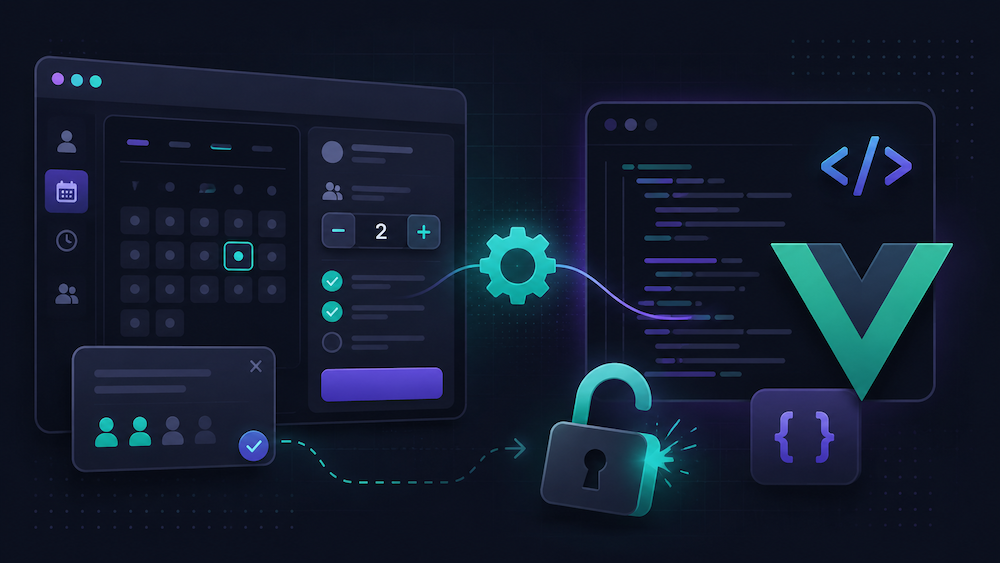
In this case study, I’ll explain the problem, why common solutions failed, and how I solved it using JavaScript, MutationObserver, CSS, and Vue.js event handling.
The Client’s Requirement
The client was selling workshop packages where the booking price included two participants by default. Additional participants could be added for an extra fee.
Unfortunately, Amelia Starter always begins with a participant count of one, and there is no built-in option to define an included base quantity.
The client also requested:
- Start the participant counter at 2 instead of 1.
- Prevent users from reducing the count below the included quantity.
- Rename the “Extras” section to “Additional Participant”.
- Display clear pricing information directly inside the booking popup.
None of these features are available in the Starter version.
Why Simple JavaScript Didn’t Work
My first instinct was straightforward: locate the participant input field and update its value with JavaScript.
It failed.
The reason is that Amelia’s booking interface is built with Vue.js. Vue maintains its own internal reactive state. Even if you manually change an input field using JavaScript or jQuery, Vue immediately restores its own value during the next render cycle.
In other words, changing the DOM isn’t enough—you must update the application the same way a real user would.
The Solution
The solution involved two important techniques.
1. Detect When Amelia Loads
The booking dialog doesn’t exist in the page source when WordPress first loads the page. Amelia creates it dynamically.
I used a MutationObserver to monitor the DOM and detect exactly when the booking popup appeared.
2. Trigger Real User Events
Instead of manually changing values, I simulated actual mouse interactions on Amelia’s own increment button.
These included:
- mousedown
- mouseup
- click
Because Vue received genuine browser events, it updated its internal state correctly without overriding my changes.
Example Code
const observer = new MutationObserver(() => {

    const dialog = document.querySelector(
        '.amelia-v2-booking-dialog .el-dialog__body'
    );

    if (dialog && !dialog.dataset.customized) {

        const incrementBtn = dialog.querySelector(
            '.people-counter .increment'
        );

        if (incrementBtn) {

            ['mousedown','mouseup','click'].forEach(eventName =>

                incrementBtn.dispatchEvent(
                    new MouseEvent(eventName,{
                        bubbles:true
                    })
                )

            );

        }

        dialog.dataset.customized = 'true';

    }

});

observer.observe(document.body,{
    childList:true,
    subtree:true
});
Additional Customizations
Once the event-handling approach was working, I used the same strategy to customize other parts of the booking interface.
- Renamed the “Extras” section to “Additional Participant”.
- Automatically expanded the pricing section.
- Displayed custom pricing instructions inside the booking popup.
- Prevented invalid participant selections.
- Added custom CSS for a cleaner user experience.
One interesting discovery was that Amelia’s collapsible sections don’t use the selectors that most online tutorials mention. After inspecting the rendered markup, I found that the correct classes were based on Amelia’s own implementation rather than the commonly documented Element Plus examples.
Working Around Another Starter Limitation
There was another obstacle.
The free version of WPCode doesn’t allow advanced JavaScript snippet management.
Instead of installing another plugin or upgrading WPCode, I simply placed the custom JavaScript inside a Custom HTML block on the booking page.
Sometimes the simplest WordPress solution is the most reliable one.
The Final Result
- Participants now start at the correct default quantity.
- Users cannot reduce the count below the included amount.
- The booking interface explains pricing clearly.
- The Extras section is renamed for better usability.
- No plugin files were modified.
- No Amelia Pro license was required.
- The solution remains update-friendly.
Key Takeaways
Modern WordPress plugins increasingly rely on JavaScript frameworks such as Vue.js and React.
If your customizations keep getting overwritten, the problem usually isn’t your JavaScript—it’s that the framework maintains its own application state.
Rather than forcing changes directly into the DOM, interact with the application the same way a user would. Simulating genuine browser events often produces a far more reliable and future-proof solution.
Final Thoughts
This project is a great example of how many WordPress customization challenges can be solved without editing plugin files or upgrading to expensive premium plans. Understanding how a plugin works internally is often more valuable than simply adding more plugins.
If you regularly work with Elementor, WooCommerce, Amelia, or other advanced WordPress plugins, learning how modern JavaScript frameworks handle state can save hours of debugging.